
How to Choose a PCB Milling Machine for Your Laboratory
Choosing a PCB milling machine starts with the boards you need to produce and the way your laboratory works. PCB size, tool changes, installation requirements and supporting equipment all influence which configuration will fit your application.
This guide explains the main decisions when selecting a MIPEC 4MILL system for engineering, research or education.
1. Start with Your PCB Requirements
Before comparing machines, identify:
- The largest PCB you expect to manufacture.
- Whether you will produce single-sided or double-sided boards.
- The number of different tools required for typical jobs.
- How frequently you expect to manufacture and revise prototypes.
- Which operations you need after milling, such as through-hole connection and assembly.
Include some allowance for future projects when choosing the required PCB format.
2. Choose the PCB Format and Tool-Change System
4MILL300
- Maximum PCB: 200 × 140 mm
- Manual Push & Turn tool change
Compact PCB prototyping with the operator changing tools between operations.
Explore 4MILL300 →4MILL300ATC
- Maximum PCB: 200 × 140 mm
- Automatic tool change, 12 positions
Multi-tool PCB machining with fewer interruptions for manual tool replacement.
Explore 4MILL300ATC →4MILL600
- Maximum PCB: 297 × 420 mm
- Manual Push & Turn tool change
Prototyping projects that require a larger PCB format.
Explore 4MILL600 →The 4MILL300 and 4MILL300ATC accommodate the same maximum PCB size. Their key selection difference is how tools are changed.
Automatic tool change is particularly relevant when a board requires isolation milling, several drill diameters and contour routing. Manual tool change can suit laboratories where the operator remains involved throughout the machining process.
Compare the complete technical specifications →
Examples of PCB Milling Results
The photographs below show examples of mechanically milled prototype PCBs, including complete board layouts and details of copper features and drilled holes.
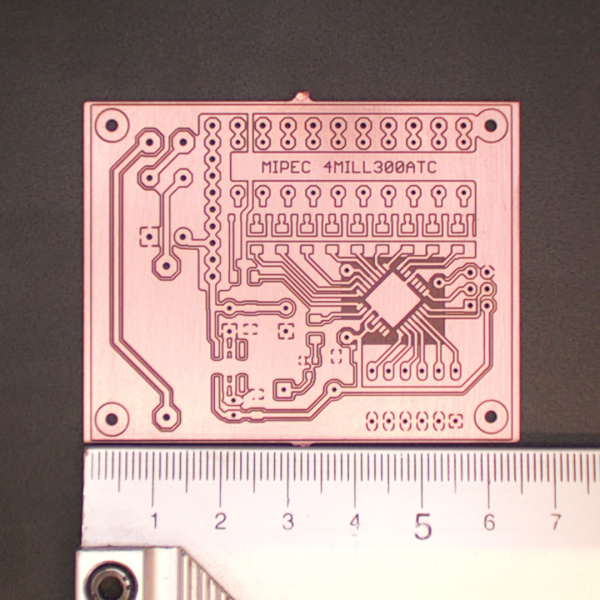
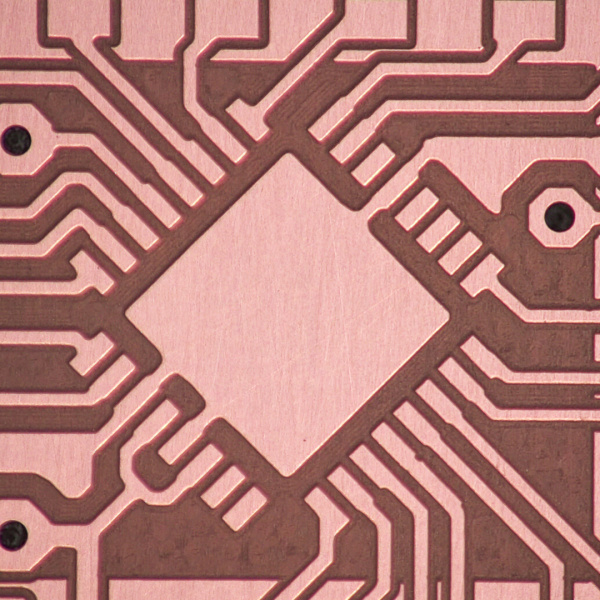
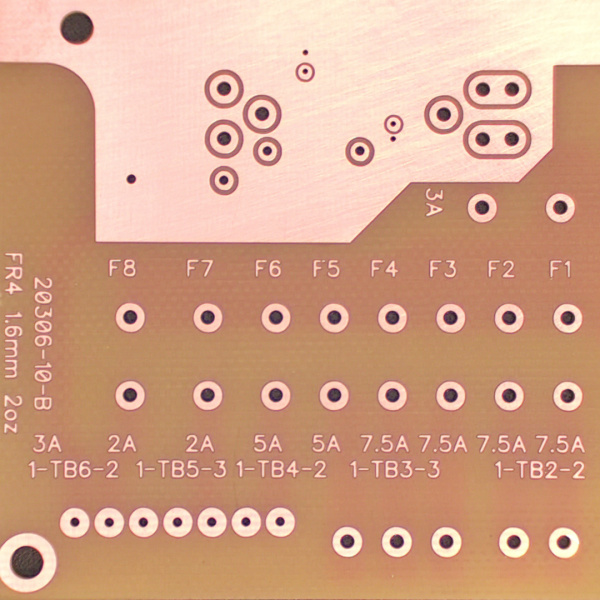
Achievable feature sizes and surface quality depend on the machine setup, tool geometry, PCB material, milling depth and machining parameters. A sample made from your own design provides a practical basis for discussing your requirements.
3. Check Installation Requirements
Consider the complete workstation when planning the laboratory:
- Bench space and access for loading material and servicing the machine.
- Electrical supply and a suitable computer connection.
- Dust extraction for the materials being machined.
- Storage for cutting tools, PCB materials and supporting accessories.
Compressed air for automatic tool change: the 4MILL300ATC requires 0.6 MPa, 50 l/min, with a 6 mm connection. Confirm that your laboratory can provide this supply before choosing the ATC configuration.
4. Include Software, Tooling and Extraction
A suitable machine is one part of a working PCB prototyping setup.
MIPEC 4MILL systems use TrackMaker PCB CAM software for PCB data preparation and machine control. When requesting a quotation, confirm the software, starter tooling, extraction equipment and accessories included in the proposed configuration.
Discuss your typical board designs and materials with MIPEC so the tooling can be selected for your actual machining requirements.
Related guides: PCB milling tool selection and dust extraction for PCB machining .
5. Plan the Steps After Milling
For double-sided prototypes, consider how electrical connections between both sides will be made. For assembled prototypes, include solder paste application, component placement and reflow in your planning.
Your laboratory can introduce these processes step by step as its requirements develop. Explore the complete in-house PCB prototyping workflow .
For projects requiring industrial multilayer construction, plated holes, solder mask and surface finishes, outsourced PCB fabrication may remain an appropriate part of the development workflow.
Evaluate a Sample Before Choosing
A PCB made from your own design provides a practical basis for discussing machining requirements and the finished result.
With the MIPEC Free PCB Sample service, you can submit Gerber and Excellon data for review and sample manufacture.
Learn about the Free PCB Sample service →
Need Help Selecting a Configuration?
Tell us your maximum PCB size, typical materials and machining requirements. We can discuss a suitable combination of machine, tooling, software and supporting equipment for your laboratory.
Discuss Your Laboratory Requirements →